1 · Pre-arrival
Your guest gets the check-in link
In their Airbnb or Booking.com message — or on the Wi‑Fi login page when they connect in the apartment.
Every guest
Booking message · Wi‑Fi login page
They open your check-in link from their Airbnb or Booking.com message — or the Wi‑Fi login page in the apartment — and register. The guide unlocks after check-in. After checkout, you can still reach them with direct-booking offers.
1 Online check-in → 2 Stay hub unlocks → 3 Visual guide · Invoice · Info → 4 Concierge (add-on) → 5 Direct re-booking
Built by a host running two units in Essen — every screenshot below is the real product
Check-in, the bilingual stay hub and the 24/7 concierge — the real product, running on real properties.
▶ Watch the 90-second demo
From the booking message to the next direct booking — what your guest sees, and what lands on your side.
In their Airbnb or Booking.com message — or on the Wi‑Fi login page when they connect in the apartment.
Every guest
Booking message · Wi‑Fi login page
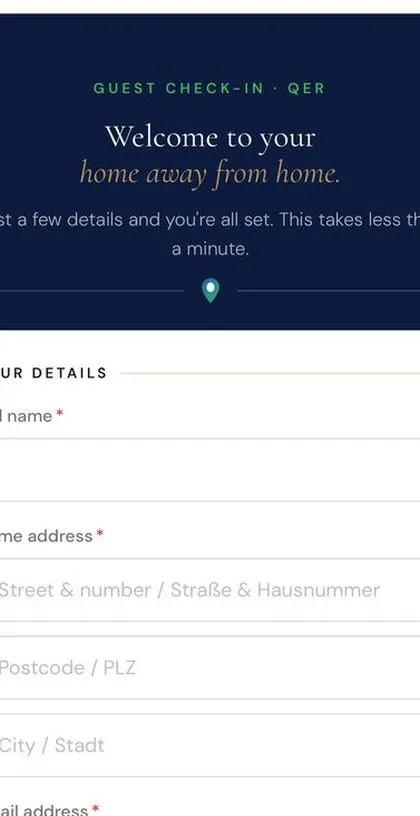
An airline-style form on their own phone: name, home address and email. No app, no account.
Every guest · Automatic
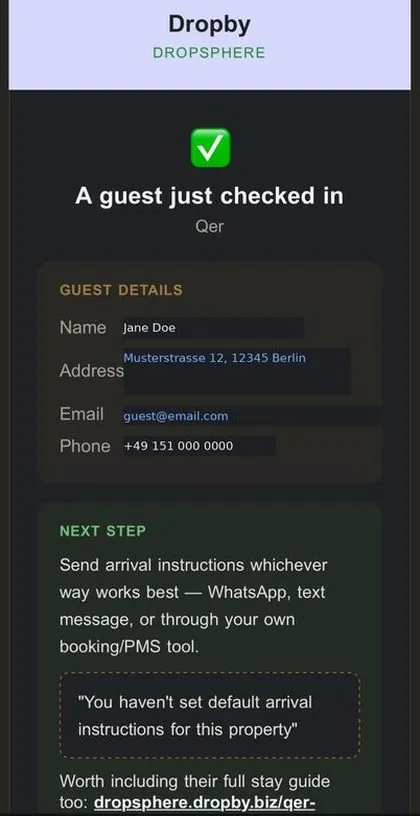
An email lands the moment check-in is done. The guest’s contact is yours — not hidden in a channel inbox.
Every guest · Automatic
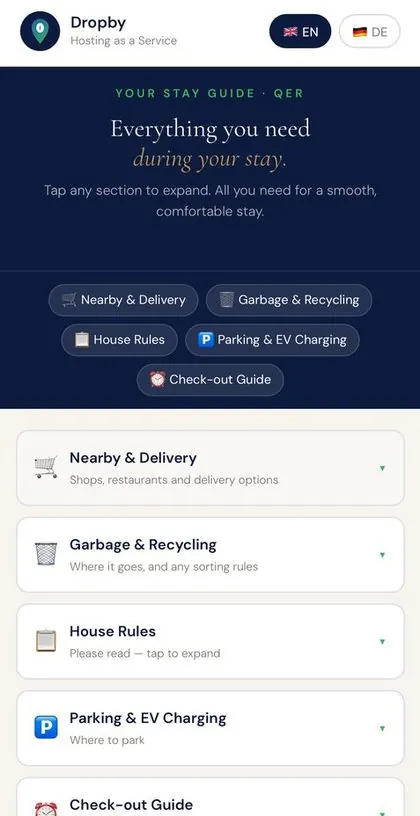
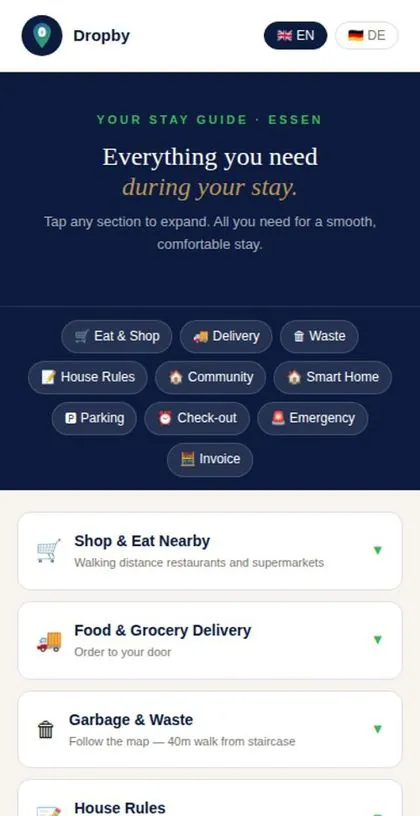
Check-in opens the bilingual stay hub: Wi‑Fi, house rules, check-out, local tips — everything in one link.
Every guest · Automatic
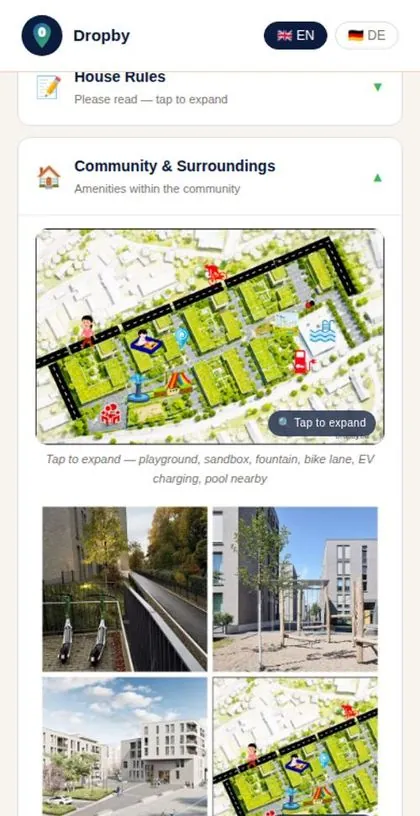
The apartment shown with pins on each area. Guests tap a pin to dig deeper — appliance manuals and more.
Business guests open the invoice tab and enter their company details to request an invoice. No back-and-forth.
Guests ask anything and get an answer, any time — fewer late-night messages for you. Paid Pro add-on, not in the base plan.
Pro add-on
Guests ask anything
Because you have their email from check-in, past guests get your discount codes and direct-booking offers by email. They can unsubscribe anytime.
After checkout
Email · unsubscribe anytime
Before your first guest: fill in one onboarding form (about ten minutes). We review it and publish your check-in link and stay hub. One plan, €9.99 per property per month, 7-day free trial — Dropby Concierge is the only add-on.
Pulled from real conversations with hosts setting this up.
Booking.com blocks outside links in guest messages by default, so you need to whitelist your domain once:
Extranet → Property → Messaging Preferences → Messaging Security → Add a link.
Whitelist the whole domain — dropsphere.dropby.biz — not a shortened or redirected link. Booking.com blocks link shorteners outright, so a service like bit.ly will get flagged even after you whitelist it.
Your DropSphere link isn't a booking or payment link — it's a check-in and guest-guide page, which both platforms allow once whitelisted. It replaces a PDF or a wall of texts, not the booking itself.
No. It's a link that opens straight in their phone's browser — no app, no account, nothing to install.
Yes — that's the core of what DropSphere solves. When a guest checks in through your page, their name, address, and email come to you directly, not just through a platform inbox that gets masked after checkout.
That email is also what lets you send discount codes and direct-booking offers after the stay. Guests can unsubscribe anytime.
Guest submissions are stored per-property and are only accessible to you, not shared across hosts or with any third party. If you have specific compliance requirements for your business, we're happy to talk through the details directly.
Either works. You choose open or password-protected when setting up your listing, and the QR code and instructions your guest receives adjust automatically.
Yes. The stay hub includes a visual guide: the apartment interior with pins on the different areas. Guests tap a pin to explore further — for example the user manual for an appliance. Wi‑Fi, house rules and local tips sit alongside it as structured info.
Not yet, and this is one of the first things we're improving. Right now, each guide is set up once when you onboard — if something changes (a new house rule, a WiFi password update), let us know and we'll rebuild the guide for you.
This is an interim step, not the long-term design — self-service editing is on our roadmap.
No. The plan (€9.99 per property per month) covers online check-in and the stay hub with the visual guide, invoice tab and stay info. Dropby Concierge — where guests can ask anything — is an optional paid Pro add-on.
Discount codes and direct-booking offers by email, sent to the address they gave at check-in. Every guest can unsubscribe at any time.
No — nothing in the guide or check-in flow is hardcoded to one country. It works the same whether your property is in Germany, elsewhere in DACH, or the Netherlands.
Don't see your question? These get added as real questions come up in host conversations — ask us directly and we'll get you an answer.
Ten minutes to set up. Try it free for 7 days — €9.99 per property per month after that.
Start free trialNo credit card. No app for your guests.